
Figma to Code: Best Practices
How to structure design files, align teams, and coach AI to generate production-ready code
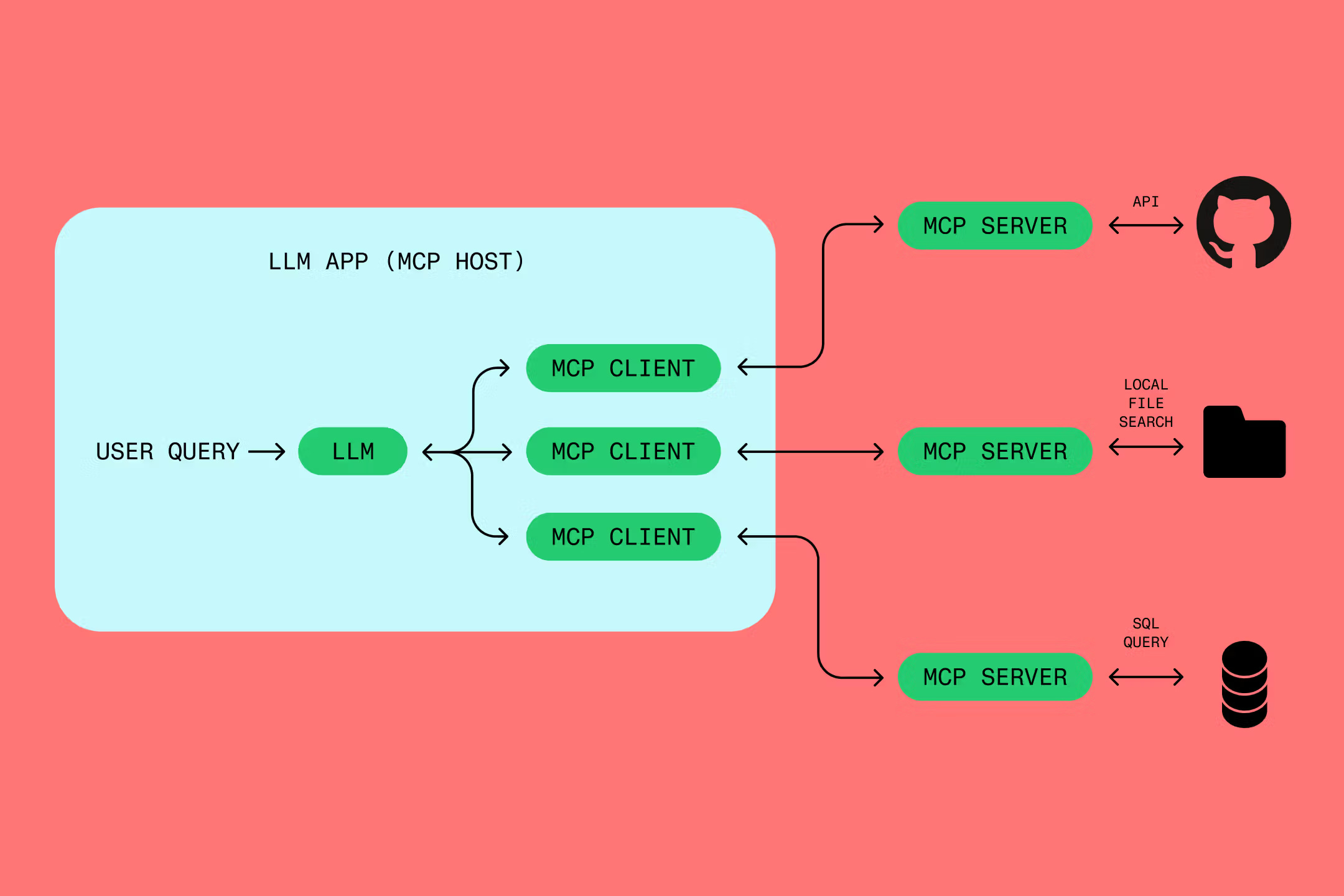
Source: https://www.figma.com/resource-library/what-is-mcp/
What I learned from working with Figma MCP Server and AI was about establishing shared language between design and code before AI ever entered the picture.
This guide distills that learning into something you can use. It’s built for product teams who care about quality, scalability, and alignment. If you’re working on a quick prototype to test an idea, this would be an overkill and I’d suggest using a tool like Figma Make or Lovable, depending on how much you need to work off FIgma. But if you’re building something that needs to last and grow, keep reading.
The Core Problem
AI amplifies whatever you give it. Well-structured Figma files produce reliable code, whereas poorly set up files produce poor quality code. The problem isn’t the AI itself, but whether design and code speak the same language.
When a designer names something “Color/Brand/Primary-Dark” in Figma and an engineer expects “colors.primary[700]” in the codebase, AI has no idea they mean the same thing. It then predicts that a new CSS styling is required and creates that.
If a variable is not used in Figma and a designer has applied a hex code like #FFFFFF, AI tends to output hardcoded hex values. Unless a designer instructs it to map the color to the closest match in the CSS in the codebase, the connection breaks. Technical debt starts to accumulate when a frontend engineer attempts to use Figma MCP Server.
The solution is a contract between design and code. A shared vocabulary that both sides honour.
Four Layers of Best Practices
Here’s how to make design to code work reliably:
Contract — Agree on naming and meaning
Structure — Build files AI can read
Dialogue — Guide AI through conversation
Reflect — Learn and improve over time
Each layer builds on the one before. You can’t skip Contract and expect Structure to work for the AI driven design to code workflow. You can’t Structure well without reflecting on what breaks.
Let me walk through each.
Layer 1: Contract
This is where designers and engineers sit together and decide what things are called. How Figma variables map to CSS and decide naming conventions both sides will follow. Together, they decide the single source of truth is.
Creating the contract
Block two to three hours to bring designers and engineers into the same room.
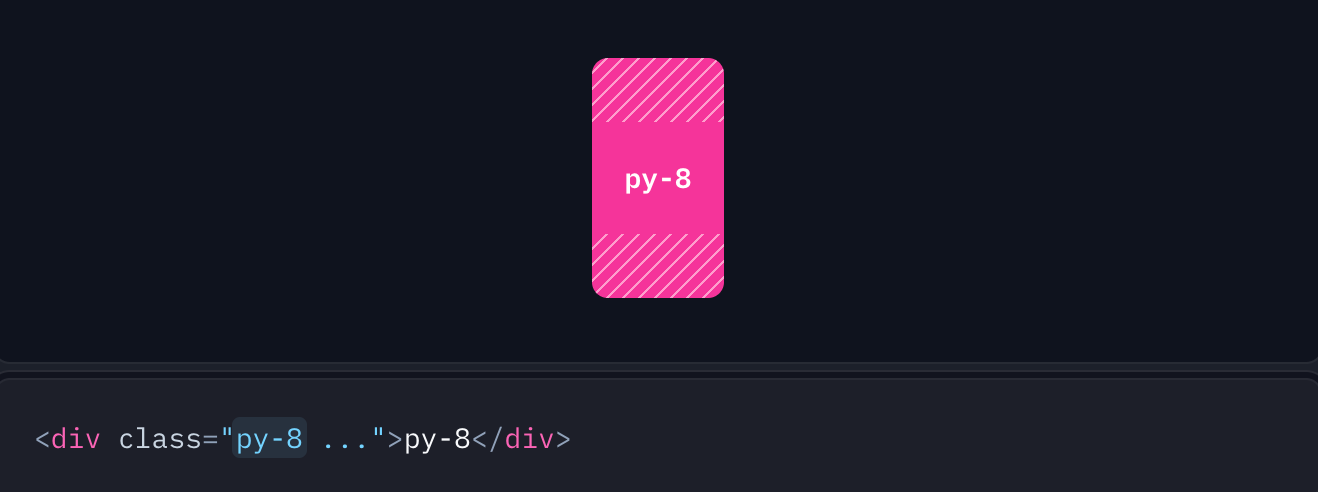
Engineers can start with presenting their system. “We use Tailwind with shadcn/ui. Our tokens are CSS custom properties. Our naming pattern is --{category}-{property}-{modifier}.”
Source: https://tailwindcss.com/docs/padding
Show actual code so designers see the structure.
Designers then present their system. “Our brand colors are defined here. We organise Figma variables like this. We need to distinguish brand colors from UI colors.”
Together, decide on a naming pattern and document it. Something like this:
Pattern: {category}/{subcategory}/{modifier}
Examples:
Color/Background/PrimaryColor/Text/MutedSpacing/Padding/MDTypography/Size/Body
Translation Rules:
Figma:
Color/Background/PrimaryJavaScript:
color.background.primaryCSS:
--color-background-primaryTailwind:
bg-primary
The golden rule: Both design and code must reference the same conceptual token, even if the syntax differs.
In practice, reference the UI library system your engineers use. In the example above, Tailwind with shadcn/ui has published conventions and component behavior on their website. Use those conventions in your Figma naming so the translation is direct.
Layer 2: Structure
Once you have a contract, encode it into your actual files. This is about making design files readable as instructions, not just pictures.
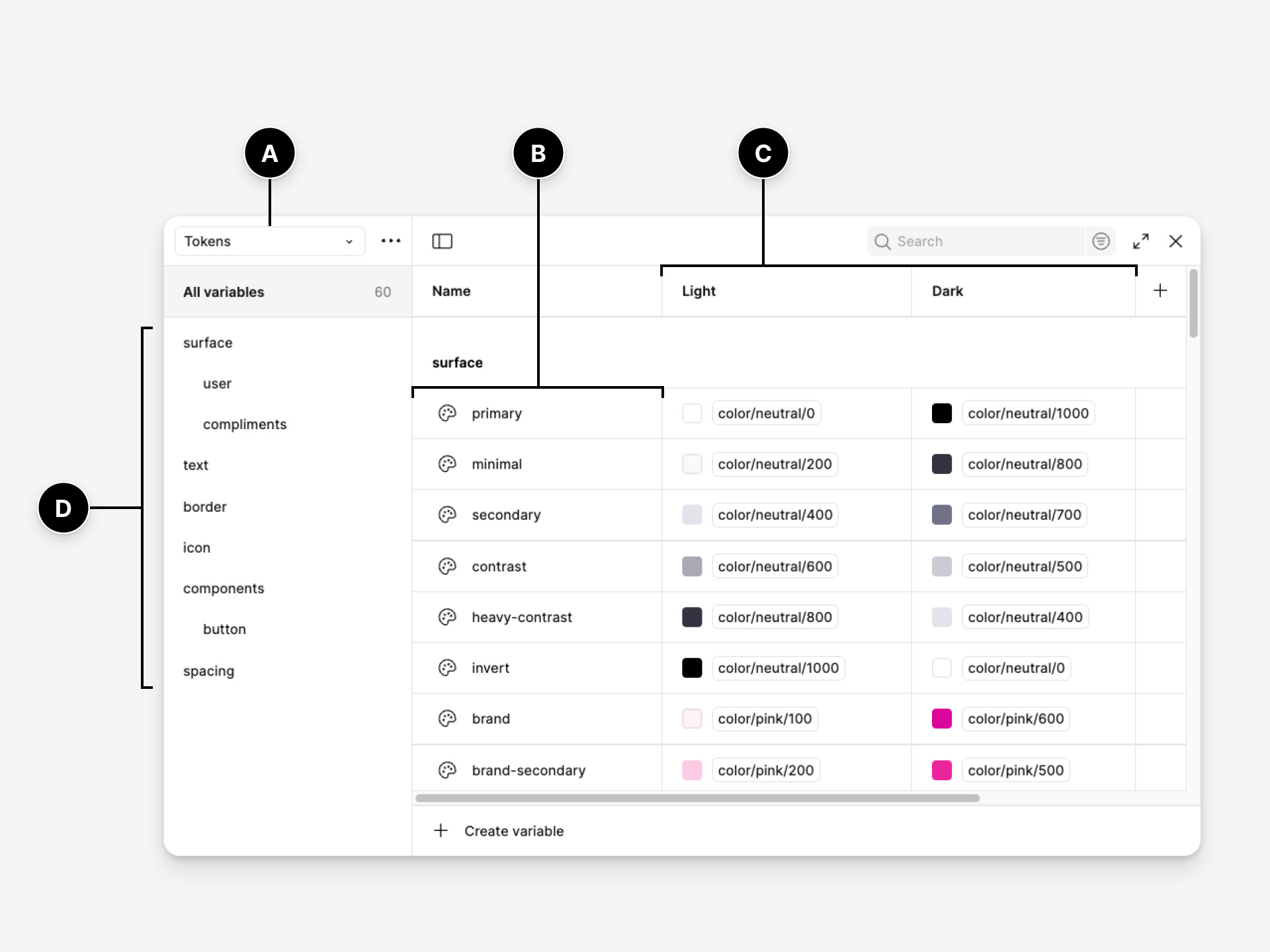
In Figma
Set up your file with these essentials:
Create variable collections — Organise them following your naming contract.
Use variables for everything — Colours, spacing, typography. Never hardcode values.
Apply Auto Layout to components — Spacing and alignment should be systematic, not arbitrary.
Name layers (frames) like frontend does — Use
container,columns,rows,content. Think about how the structure translates to code.Build components using atomic principles — Start with atoms (buttons, inputs, icons). Combine them into molecules (cards, form groups). Assemble molecules into organisms (navigation bars, dashboards).
Reference tokens only — Every color, spacing value, and type style should pull from your variables.
Detach nothing — Keep components connected to their source component. Detached items create maintenance nightmares.
Use annotations for handoff clarity — Communicate design intent and required microcopy directly on the components or pages. Annotations help Engineers and AI understand spacing, behaviour, and implementation details that aren’t obvious from the visual alone.
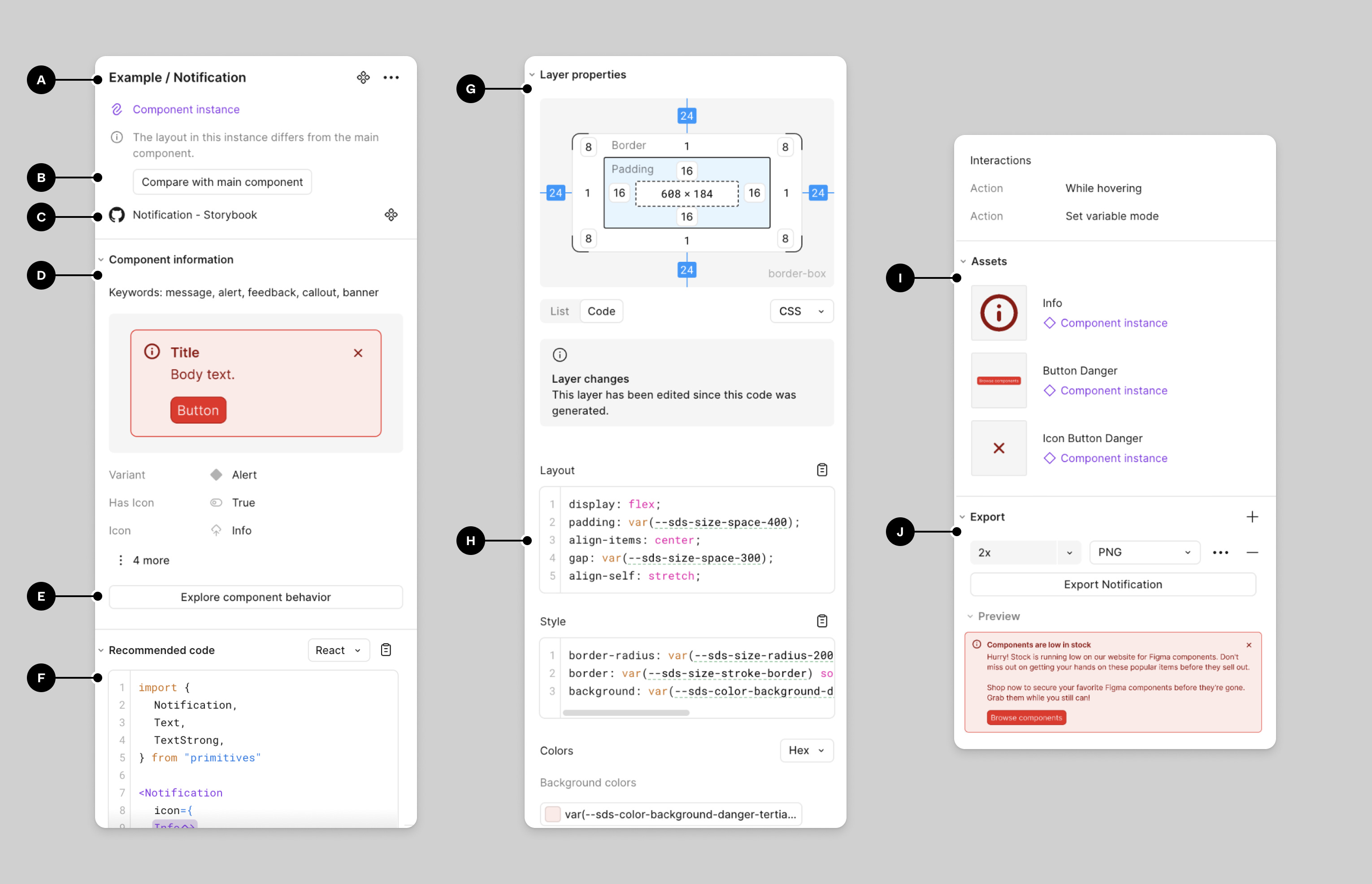
Code Connect
Code Connect is a way to link Figma components directly to their code counterparts, creating a bridge between what designers see and what engineers implement. It can help drive accuracy for AI although it is not mandatory.
When you publish a component in Figma with Code Connect set up, engineers can see the exact implementation details. Token mappings, props and variants, the actual code they should be using. This reduces guesswork and keeps design and code aligned as the system evolves.
Think of Code Connect as documentation that lives inside the design file itself. It answers the question: “How do I build this?” before the question even gets asked.
The alternative to being able to avoid code connect altogether is have AI reference the UI library system the Engineers are using then it’d be able to retrieve the build guidelines and best practices. For example, Material Design 4 and IOS guidelines have extensive documentation.
In the codebase
Organise components into folders: atoms, molecules, organisms. This helps AI understand your atomic design principles when you coach it. Atoms are buttons and inputs. Molecules are cards and form groups. Organisms are navigation bars and page sections.
When design and code both honour the contract, AI can translate accurately between them.
Layer 3: Dialogue
This is how you talk to AI. How you break down complexity and coach AI patterns before executing.
Build instructional files
This is a persistent markdown file with instructions that travel with every prompt. It teaches AI:
What your tech stack is
What your token naming conventions are
What your component hierarchy looks like
How to handle responsive behaviour
What questions to ask before implementing
User interface design principles
Your design system structure
Atomic design principles
Start simple. Add to it as you discover what breaks.
Here’s an example:
Tech Stack:
- React + TypeScript
- Tailwind CSS
- shadcn/ui components

Token Rules:
- Never use hex values. Always reference tokens in global.css
- Follow pattern: {category}/{subcategory}/{modifier}
- Check css file before implementing

Atomic Design Principles:
- Atoms: buttons, inputs, icons, labels
- Molecules: cards, form groups, search bars
- Organisms: navigation bars, page headers, dashboards

Component Approach:
- When viewing Figma designs, identify tokens and map them to global.css
- Always retrieve existing components from the codebase first
- Use existing atoms to create molecules
- Use existing molecules to create organisms
- Only make new components if you cannot identify existing ones and check in with me before doing so
- Use semantic naming that matches frontend conventions

Process:
- Ask questions before implementing
- Explain your reasoning
- Be critical of your own solutions
Break down complexity
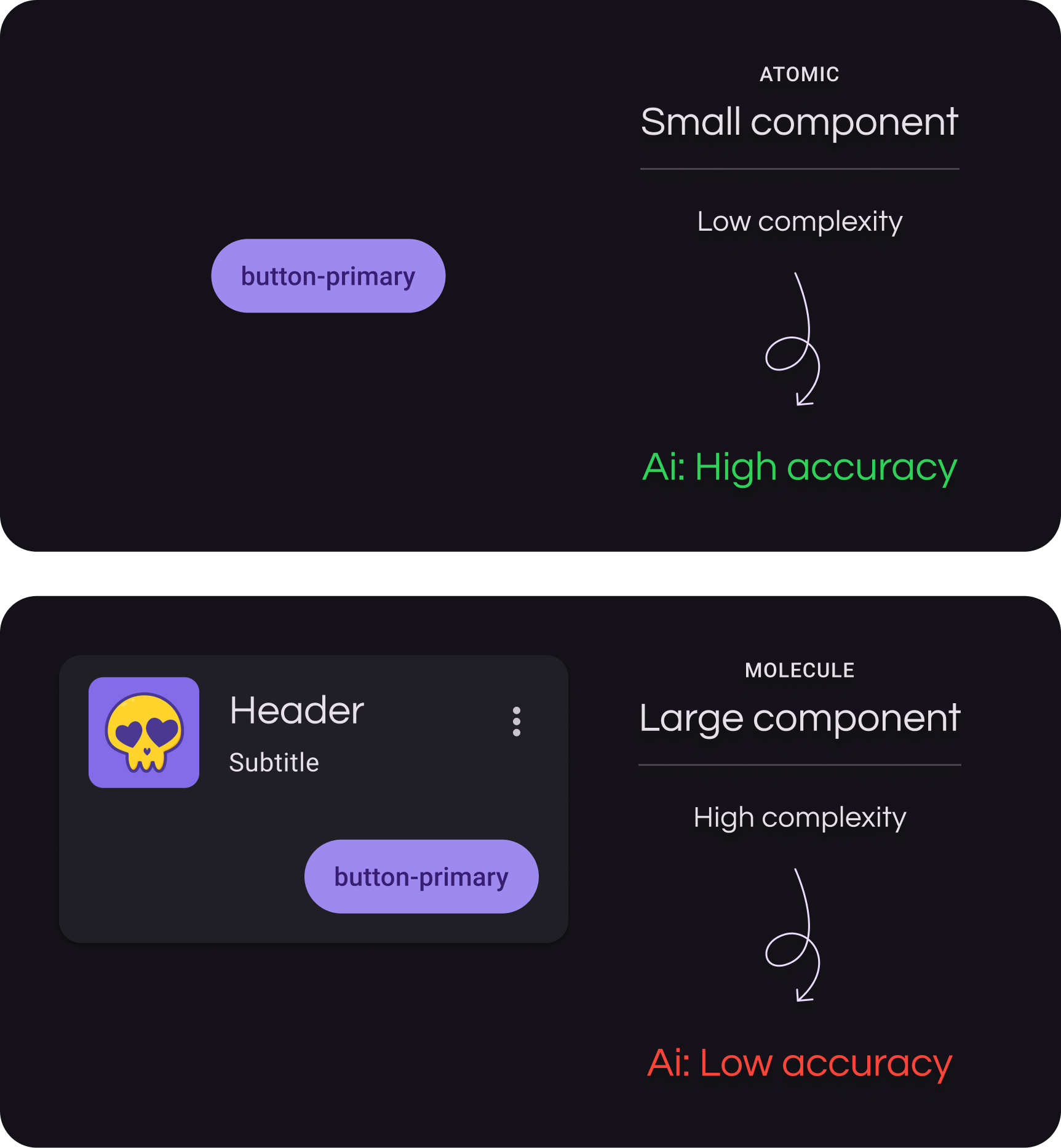
Don’t ask AI to generate an entire dashboard. Start with the smallest components first, then build up.
Generate atoms: a button, an input field, an icon. Then molecules: a search bar (input + button), a card (image + text + button). Then organisms: a navigation bar (logo + links + search bar), a product grid (multiple cards in a layout).
Small, atomic components generate reliably. Complex organisms need the building blocks to exist first.
Iterate
AI rarely gets it perfect on the first try. Ask it to explain its approach. Point out where it diverged from your system. Refine the output together.
Layer 4: Reflect
This is the feedback loop.
What worked?
What didn’t?
What patterns are emerging?
Track outcomes
Keep a simple log. It doesn’t have to be exhaustive, just enough to see trends.
Example:
Problem: AI kept hardcoding colors
Action: Updated instructional file with “Never use hex values”Problem: Responsive breakpoints inconsistent
Action: Added breakpoint examples to instructional fileProblem: Token drift between design and code
Action: Weekly token sync check
Save your prompts
When you find a prompt that works well, save it. Build a library of effective prompts for common tasks.
Examples:
“Create a card molecule using existing atom components”
“Build a responsive navigation organism with mobile breakpoint at 768px”
Include context about what made each prompt successful. Did it produce clean code on the first try? Did it correctly reference tokens? Did it reuse existing components?
Over time, this library becomes a reference for your team. New designers or engineers can see what works. You stop reinventing prompts for recurring tasks and build on what’s proven instead of starting from scratch each time.
Evolve your instructional file
Your instructions should get smarter as you discover edge cases. When AI struggles with empty states, add guidance for that. When it misses accessibility patterns, add those rules.
The file grows based on real problems instead of hypothetical ones. This is how your approach can learn with you.
Keep context small
When your instructional file gets too large, AI struggles. The context becomes diluted, and the most relevant instructions get lost in the noise.
Break your instructions into smaller, focused files:
design-tokens.md— Token naming and mapping rulesatomic-design.md— Component hierarchy and atomic principlesresponsive-patterns.md— Breakpoint handling and layout behavioraccessibility.md— Accessibility requirements and ARIA patterns
Use them flexibly. If you’re generating a button, pull in the tokens file and atomic design file. If you’re building a responsive layout, add the responsive patterns file. Only include what’s relevant for the specific task.
This modularity also makes maintenance easier. When your token system changes, you update one file instead of hunting through a massive document.
Hold retrospectives
Once a month, sit with your team. What’s working? What’s still painful? What needs to change?
This facilitates for continuous improvement, AI is only as good as the system you give it.
Getting Started
Don’t try to implement everything at once. Here’s a practical roadmap.
Day 1–2: Create the contract
Hold a workshop with designer and engineer
Create basic token naming contract
Build minimal mapping table (colors and spacing only)
Day 3: Test on one component
Pick something simple, like a button
Structure it properly in Figma
Create basic instructional file
Generate with AI
If this works, continue. If it’s painful, reassess.
Week 2–3: Expand
Complete full token mapping
Set up Figma variables properly
Build comprehensive instructional file
Generate five to ten components
Week 4 and beyond: Reflect and evolve
Start a prompt library
Track what works and what doesn’t
Hold your first retrospective
Update instructional file with learnings
Who This Is For
These best practices work best for:
Product teams building applications, not prototypes
Projects lasting three months or more
Teams with designer and engineer collaboration
Design systems being built or scaled
Teams frustrated with current design to code quality
This is overkill for:
Pure exploration or prototype work
Projects with less than two week timelines
Teams without documentation discipline
For smaller projects, use a lighter version. Quick token alignment. Simple mapping table. Basic instructional file. Skip the extensive documentation.
What This Reveals
The future of design to code isn’t about better AI tools. It’s about better alignment between design and code.
AI is powerful when you speak a shared language, structure information clearly, guide through iteration, and learn from outcomes. Without these foundations, AI is just guessing.
But more than that, working with AI this way reveals something about how we collaborate as humans. The things that make AI work better:
Shared vocabulary
Structured information
Explicit communication
Reflective practice
These are the same things that make human teams work better.
AI doesn’t replace the need for good process. It just makes the absence of good process more obvious.
Final Thoughts
These practices aren’t a magic solution. They’re a methodology for systematic alignment. They require upfront investment, ongoing maintenance, and team discipline.
But if you’re serious about scaling design to code workflows, and if you care about the quality of what you ship, they work. That said, you don’t need a complete design system to start. You can work around gaps with effective prompting, but the more structure you have, the more reliable your results.
I’m continuing to refine this as I apply the workflow and as AI technology continues to change rapidly. What works for me might need adjustment for your context.
If you try this, I’d be curious to hear how it goes. What worked? What didn’t? What would you change?
On the future of design to code workflow
There may come a time when drawing boxes in Figma and coding components for frontend will merge and we would have only a single source of truth.
Instead of struggling with two systems, we would only have one. This means that designers would become Design Engineers as AI gets better and better at taste and creating interfaces with its intelligence. Frontend engineers would expand into other areas of engineers.
I’d say this also largely depends on business’s needs and budget contraint and the level of detail they want their products to evolve into.
My recommendation is to stay curious, keep exploring, learning and changing with the times.
Thank you for reading this through. I appreciate your time and attention.
This sentence is precisely what I was thinking as I was reading through your piece: « The things that make AI work better (shared vocabulary, structured information, explicit communication, reflective practice) are the same things that make human teams work better. »